Budgeting
How to Use a UK Monthly Budget Spreadsheet in Google Sheets
Copy a UK-ready Google Sheet, set categories for real UK bills (rent or mortgage, council tax, utilities, groceries), enter take-home pay and planned amounts, then log actual spend weekly and adjust.
This article is general money-management information, not personalised financial advice. If you need advice on debt, benefits, or a complex situation, speak to a qualified adviser or use free impartial guidance such as MoneyHelper.
Who this is for
This is for UK households — solo or sharing with a partner — who want a simple monthly plan in Google Sheets, not Excel, and not a US template full of 401(k) and “utilities (avg)” that do not match British bills.
You want GBP, categories that sound like your life (council tax, TV licence, energy), and a living file you can open on a laptop or phone.
If you also need to track self-employment income for HMRC, that is a separate job from a household budget. A Self Assessment / SA103 tracker is for tax records; this article is for planning household cash flow.
Budget sheet vs banking app
Banking apps such as Monzo or Starling are excellent at showing what already left the account. A budget spreadsheet is the plan: what you meant to spend, what you actually spent, and what is left before payday.
Use both:
- The app (or statements) for truth about transactions
- The sheet for categories, planned amounts, sinking funds, and the weekly check-in
A template will not fix overspending on its own. The weekly habit of comparing planned vs actual is what makes the sheet useful.
For free government-backed guidance and a separate online planner, see MoneyHelper’s budget planner. A Google Sheet sits beside that kind of tool when you want a file you own and can customise.
Make your own copy
Work in your Google Drive so edits stay yours.
Typical flow if you buy or download a template:
- Open the PDF you receive from the shop (it contains the Google Sheets link)
- Open the sheet in Google Sheets
- Use File → Make a copy
- Rename it (for example Household budget 2026) and save it in a Drive folder you will actually open
If you build your own from scratch, create a blank Sheet and add the columns or tabs below — same idea, more setup time.
Do not edit the original shared file if the link is view-only; always copy first.
UK categories that matter
Start with categories that match how UK households actually pay bills. Rename anything that does not fit; delete what you never use.
Housing and council
- Rent or mortgage
- Council tax (often billed over 10 months, April to January — plan for the months it is due)
- Home insurance (if paid monthly or as a sinking fund)
Utilities and home
- Gas and electricity (or a dual-fuel bill)
- Water
- Broadband
- Mobile phones
- TV licence
Everyday living
- Groceries and household shopping
- Transport (fuel, railcards, buses, parking)
- Subscriptions (streaming, cloud storage, memberships)
Money you already owe
- Debt minimum payments (credit cards, loans, overdraft plan)
- Any agreed extra you are putting towards balances
Future you
- Emergency buffer / rainy-day transfer
- Sinking funds (see below)
- Longer-term savings
Keep the list short enough that you will update it. Ten clear categories beat thirty abandoned ones.
Start with take-home pay
Budget from money that actually hits your account, not the gross salary on a payslip.
List income lines clearly, for example:
- Pay after tax and National Insurance (and student loan if it is deducted)
- Partner’s take-home (if you share a budget)
- Regular side income you can rely on
- Benefits or other regular credits you treat as income
If your pay varies (shifts, freelance, commission), use a cautious month as the plan — a typical quieter month — and treat stronger months as bonus top-ups to savings or debt, not as a new permanent lifestyle floor.
Add the income total at the top of the month so every planned pound has a job, or sits in “unallocated” until you choose one.
Planned vs actual
Fill planned amounts first — before the month runs away.
Then log actual spend. Two workable methods:
- Transaction log — paste or type lines from the bank app into an Expenses tab, tagged by category
- Weekly category totals — once a week, read the app’s category or merchant totals and enter one number per budget category
Review the gap without a shame spiral. A red number is information: either the plan was unrealistic, a bill landed early, or spending needs a tweak next week. Move money between categories on purpose rather than pretending the plan was perfect.
A simple view that helps:
| Category | Planned (£) | Actual (£) | Left (£) |
|---|---|---|---|
| Groceries | 350 | 210 | 140 |
| Council tax | 160 | 160 | 0 |
| Eating out | 80 | 95 | −15 |
When “eating out” goes over, pull from a flexible category or cut next week’s plan — do not ignore it until payday.
Annual and irregular costs
January and September feel expensive because annual bills cluster. Spread them with sinking funds: a monthly set-aside for a known future cost.
Common UK examples:
- Car MOT and service
- Car or home insurance renewals
- Christmas and birthdays
- Back-to-school
- Boiler cover or appliance replacement fund
- Holiday deposit
Work out the yearly cost, divide by 12 (or by the months until the bill), and treat that monthly amount as a planned line. When the bill arrives, the money is already waiting in savings or a labelled pot.
Shared budgets (partners)
Google Sheets works well for couples because you can share one live file with edit access.
Agree a few ground rules so it stays calm:
- One person can own weekly data entry; the other still has full visibility
- Shared categories for joint bills; optional personal “fun money” lines so nobody feels policed
- A short Sunday check-in on the same screen rather than surprise screenshots mid-week
The sheet is a shared map, not a scorecard.
A weekly 15-minute rhythm
Pick a fixed slot (Sunday evening or payday Monday works for many people).
In fifteen minutes:
- Update actuals from the banking app
- Move money between categories if something ran hot
- Check which bills are due before next payday
- Glance at sinking funds — still on track?
- Note one change for next month if the same category keeps blowing
Consistency beats a perfect spreadsheet you never open.
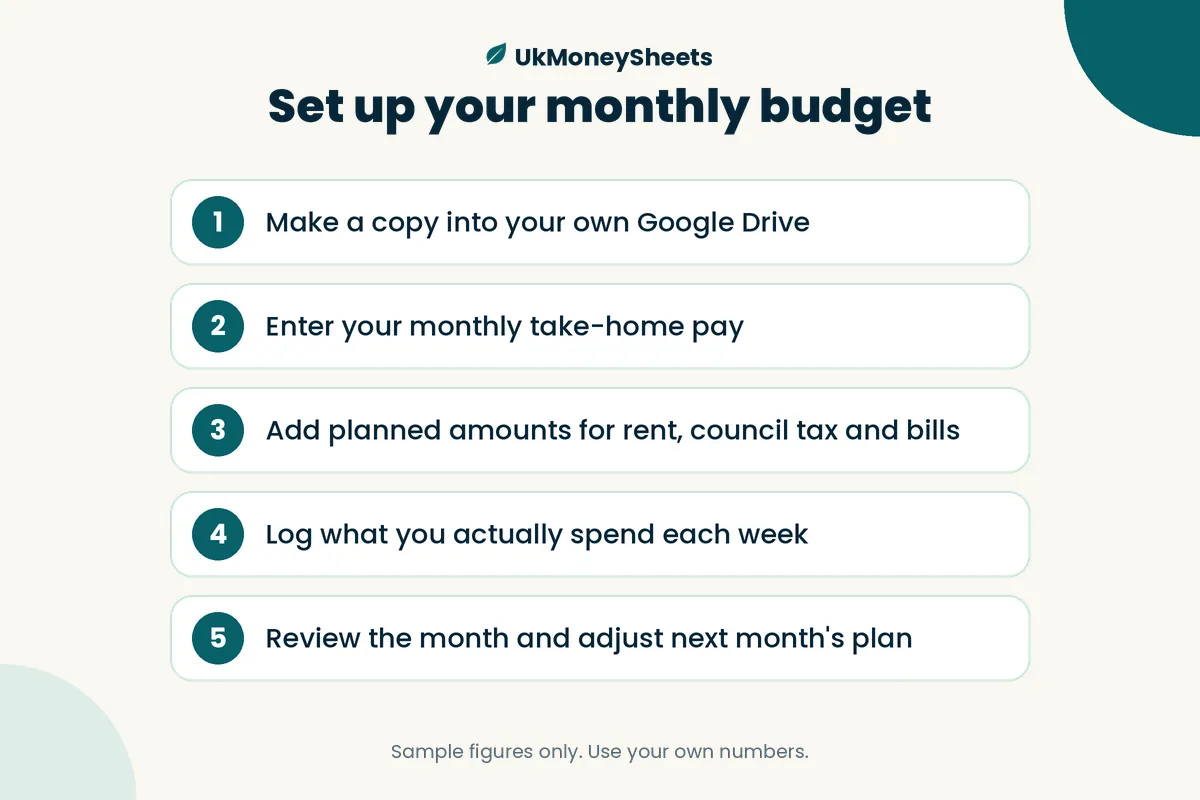
How the UkMoneySheets monthly budget sheet fits
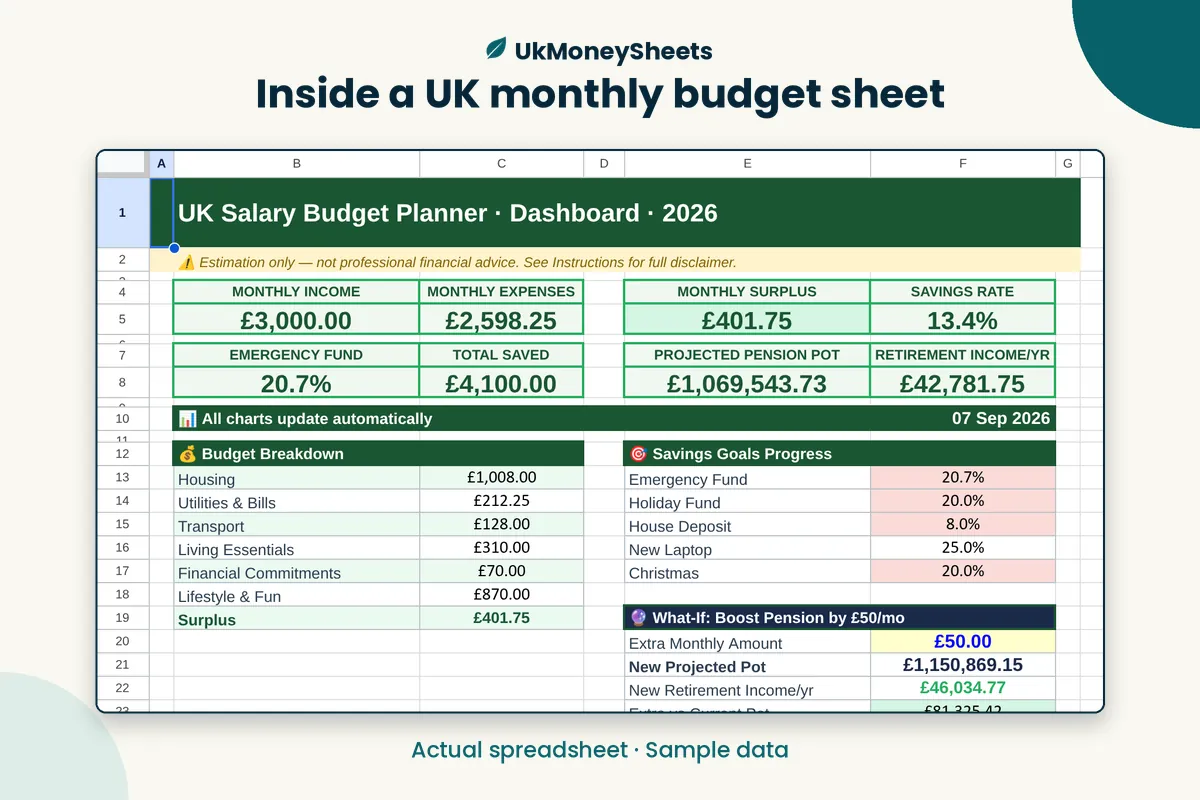
If you would rather start from a UK-ready layout than build columns yourself, UkMoneySheets sells a UK Monthly Budget Spreadsheet for Google Sheets | Bills, Expenses & Savings.
It is built for Google Sheets (not Excel). Delivery is typically a PDF that gives you the Sheets link so you can make a copy in your own Drive.
Related products in the same shop if you want to go further later:
- UK Money Toolkit bundle
- UK Net Worth Tracker
- Savings Challenge Spreadsheet
- Debt Payoff Spreadsheet
A bought template still needs your numbers and your weekly habit — it just removes the blank-page setup.
FAQ
What categories should a UK budget include?
Start with rent or mortgage, council tax, energy, water, broadband, mobile, TV licence, groceries, transport, insurance, debt minimums, subscriptions, and at least one sinking fund for annual bills. Add or remove lines until the list matches your real statements.
Can I budget in Google Sheets on my phone?
Yes. Install Google Sheets, open your copy from Drive, and update actuals on the go. Many people still prefer a laptop for the first setup, then use the phone for quick weekly edits.
Should I use cash envelopes or categories?
Either can work. Digital “envelopes” are just categories with planned limits. Category budgeting in a sheet is usually easier with bank cards and standing orders; physical cash envelopes still suit people who want hard limits on spending money. Pick the system you will stick to.
Is this financial advice?
No. This article and any UkMoneySheets template are for organisation and education only. They are not advice on investments, debt solutions, or your personal finances. For free impartial guidance, try MoneyHelper.
Get a UK monthly budget sheet (soft next step)
You can build the structure above in a blank Google Sheet this weekend.
If you want a ready-made UK layout for bills, expenses, and savings, grab the UK Monthly Budget Spreadsheet for Google Sheets from UkMoneySheets on Etsy, make your own copy, and keep the fifteen-minute weekly review.
The sheet holds the plan. You make it true.
Disclaimer
Not tax or financial advice. Rules, allowances and product names change — GOV.UK is the source of truth. Confirm the live Etsy listing before purchase. UkMoneySheets templates are Google Sheets only (never Excel), delivered as a PDF with a copy link, prices in GBP.
Browse UkMoneySheets on Etsy